Connecting to your secure AI machine remotely may sound complex. It is not. With some training — and troubleshooting help from cloud AI assistants — allow time to learn and test the setup.
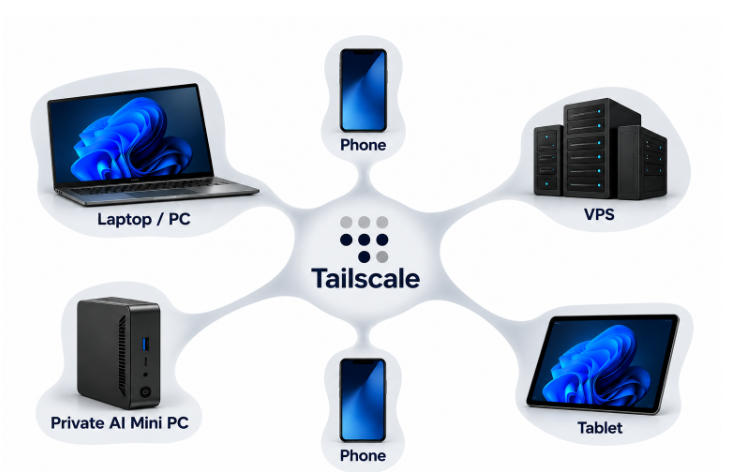
The diagram shows the setup. Your private AI mini PC sits at home or in the office. Tailscale connects it to everything else: your laptop, your tablet, your phones, even a VPS. One secure private network. Every device can reach your machine as if it were in the same room.
Why does this matter? Because your archive and your models do not travel. They stay on your hardware, behind your control. But you do. Client site, airport, fieldwork — pull out your phone and query your knowledge base, check a reference, or kick off a Foundry job. the source archive stays on the host, although questions and answers travel over the private connection.
And yes, setup involves real networking concepts. That is where cloud AI assistants earn their keep. They walk you through installation, explain each step, and debug the error messages. You learn as you build. setup time varies considerably.
The computer remains at home or in the office while authorised devices connect remotely.